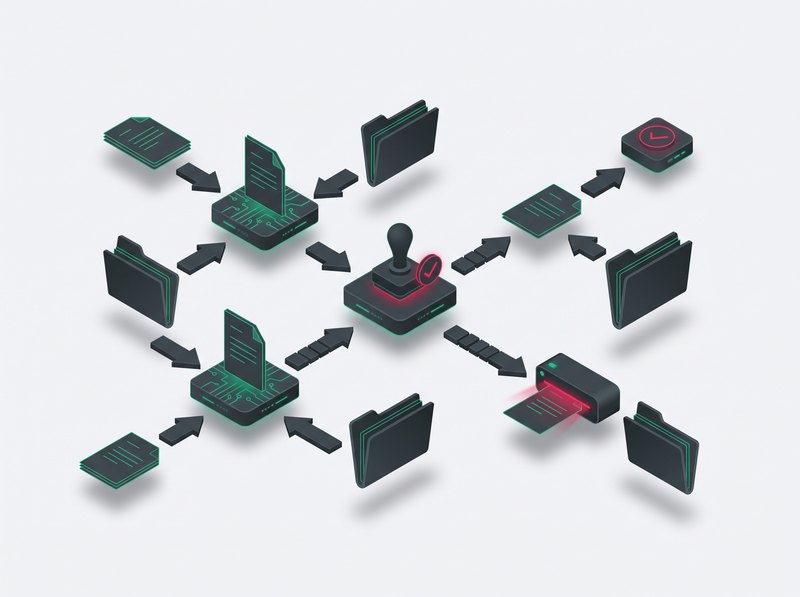
Electronic document workflow is no longer just an add-on to IT systems. For many companies today, it is a real tool for shortening processes, reducing email chaos, and speeding up business decisions. Whether we are talking about invoices in finance, vacation requests in HR, or contracts in sales – a well-designed document workflow can save dozens of hours of work each month.
In this article, we show examples of how electronic document workflows are used across different company departments. You will see which processes are most often automated, what can be simplified, and where companies see real results the fastest.
What is electronic document workflow and why implement it by department?
Electronic document workflow (EOD) is a way of managing documents and processes in a company where, instead of paper, emails, and manual approvals, an IT system is used to create, transfer, approve, and archive documents. In practice, this means that each document (invoice, request, contract, or report) moves through the company according to a defined process.
A well-implemented electronic document workflow system helps organize processes, shorten approval times, and reduce errors caused by manual handling. Instead of searching for attachments in emails, employees have a single central place where they can see the document status, change history, and responsible people for each step.
However, it is important to remember that electronic document workflow is not a single universal process for the entire company. Invoice processing in accounting looks different from contract approval in sales, and different again from vacation requests in HR. That is why the most effective implementations in practice start with specific departments and processes that generate the most manual work, delays, or errors.
This approach has another advantage: it allows companies to see business results faster. Instead of a large, risky project, the organization gradually expands electronic document workflow to other areas, building a consistent but flexible system tailored to its needs.
Electronic document workflow in accounting and finance
Accounting and finance are areas where electronic document workflow brings the fastest measurable results. A high volume of documents, regulatory requirements, and obligations related to KSeF make a structured workflow not just an improvement, but a standard.
In practice, the system does not replace KSeF, but complements it with internal processes: verification, cost approval, posting, and document archiving within the company.
Handling cost and sales invoices
In the KSeF environment, an invoice appears in financial systems, but it still needs to go through an internal approval and control process. Electronic document workflow organizes this stage: it routes invoices to the right people, controls deadlines, and records the full decision history.
The result is:
- shorter approval time,
- better cost control,
- lower risk of errors,
- a consistent audit trail.
Expense and budget approvals
Expense approvals allow companies to standardize financial decisions before a liability appears in accounting. Requests are automatically routed to the right decision-makers according to budget thresholds and organizational structure. This shortens decision time, increases transparency, and supports ongoing budget control.
Accounting document workflow and archiving
On the archiving side, electronic document workflow provides a central repository, fast search, and audit readiness. This is particularly important in environments where part of the data exists in KSeF and part in internal company systems. As a result, EOD organizes not only documents but the entire finance department workflow.
Electronic document workflow in HR
The HR department is one of the areas where electronic document workflow quickly organizes daily work and reduces manual handling of repetitive tasks. Requests, contracts, employee documents, and onboarding processes are ideal examples of workflows that can be standardized within a single system. Instead of handling documents across multiple tools and versions, an electronic document workflow system allows everything to be collected in one place, with clear approval paths and full decision history.
Vacation requests and business trips
One of the most common EOD use cases in HR is handling employee requests. An employee submits a request in the system, and it is automatically forwarded to the manager and HR, with status tracking and data completeness control.
The result is:
- faster request handling,
- fewer errors and missing information,
- full transparency for employees and managers.
Employee data
Electronic document workflow also supports maintaining order in employee-related documentation. It allows HR to easily manage updates and employee data in a single place. Data is entered once and then updated across the system.
Onboarding and offboarding documents
During hiring and employee departures, EOD helps structure checklists, documents, and decisions in a single process. This reduces the risk of missing steps, shortens timelines, and improves collaboration between HR, IT, finance, and administration. In practice, electronic document workflow in HR means less manual work and more predictability in processes that directly impact employee experience.
Electronic document workflow in procurement
The procurement department is an area where electronic document workflow helps structure cost decisions and shorten the time needed to fulfill business needs. Purchase requests, approvals, orders, and supplier contracts often involve multiple people and quickly become bottlenecks. A document workflow system organizes this process by guiding documents through defined stages according to decision rules and thresholds.
Purchase requests and approvals
One of the key procurement processes is handling purchase requests. An employee submits a request in the system, and EOD automatically routes it to the appropriate people for approval, such as a manager, controlling, or procurement department.
This results in:
- shorter decision time,
- greater cost transparency,
- easier enforcement of company purchasing policies.
Orders and supplier contracts
Once a need is approved, electronic document workflow can support the preparation and approval of purchase orders and supplier contracts. All document versions are stored in one place, and the approval path remains consistent.
Procurement workflow and cost control
Thanks to a centralized repository and standardized processes, EOD helps better link procurement decisions with budgeting and reporting. This is especially important in companies where purchasing is distributed across departments. As a result, electronic document workflow in procurement increases control, shortens execution time, and reduces communication chaos around cost decisions.
Electronic document workflow in sales
In sales, electronic document workflow supports processes that directly affect deal closing speed and customer experience. Offers, contracts, or approvals for non-standard terms often require multiple stakeholders, which can significantly slow down the sales process without a structured workflow. Sales process automation helps standardize these stages and gives sales teams clear visibility into the status of each case.
Sales offers
Electronic document workflow can support the preparation of sales offers. Employees can create them using an offer calculator that speeds up the process and standardizes cooperation terms.
Post-sales documents and customer archive
After a contract is signed, electronic document workflow helps store and retrieve documents related to the customer, addendums, agreements, and formal correspondence. This supports continuity of service and improves cooperation between sales and other departments. In practice, electronic document workflow in sales shortens response time, organizes processes, and reduces bottlenecks in deal closing.
How to select processes for implementing electronic document workflow?
Not every process in a company needs to be digitized at once. In practice, electronic document workflow should start with areas that generate the most manual work, delays, or unclear decision-making.
When selecting processes for automation, it is worth considering:
- document volume – the more repetition, the greater the impact,
- number of people involved in approvals – more bottlenecks mean higher benefit from workflow,
- risk of errors or delays – especially in finance and procurement,
- business impact – processes blocking decisions or sales provide the fastest ROI.
A common and effective strategy is to start with quick wins – simple, repetitive processes. This allows companies to quickly demonstrate value and build organizational acceptance before expanding electronic document workflow to more complex areas.